
.jpg) Milan Hans
-October 23, 2026
Milan Hans
-October 23, 2026
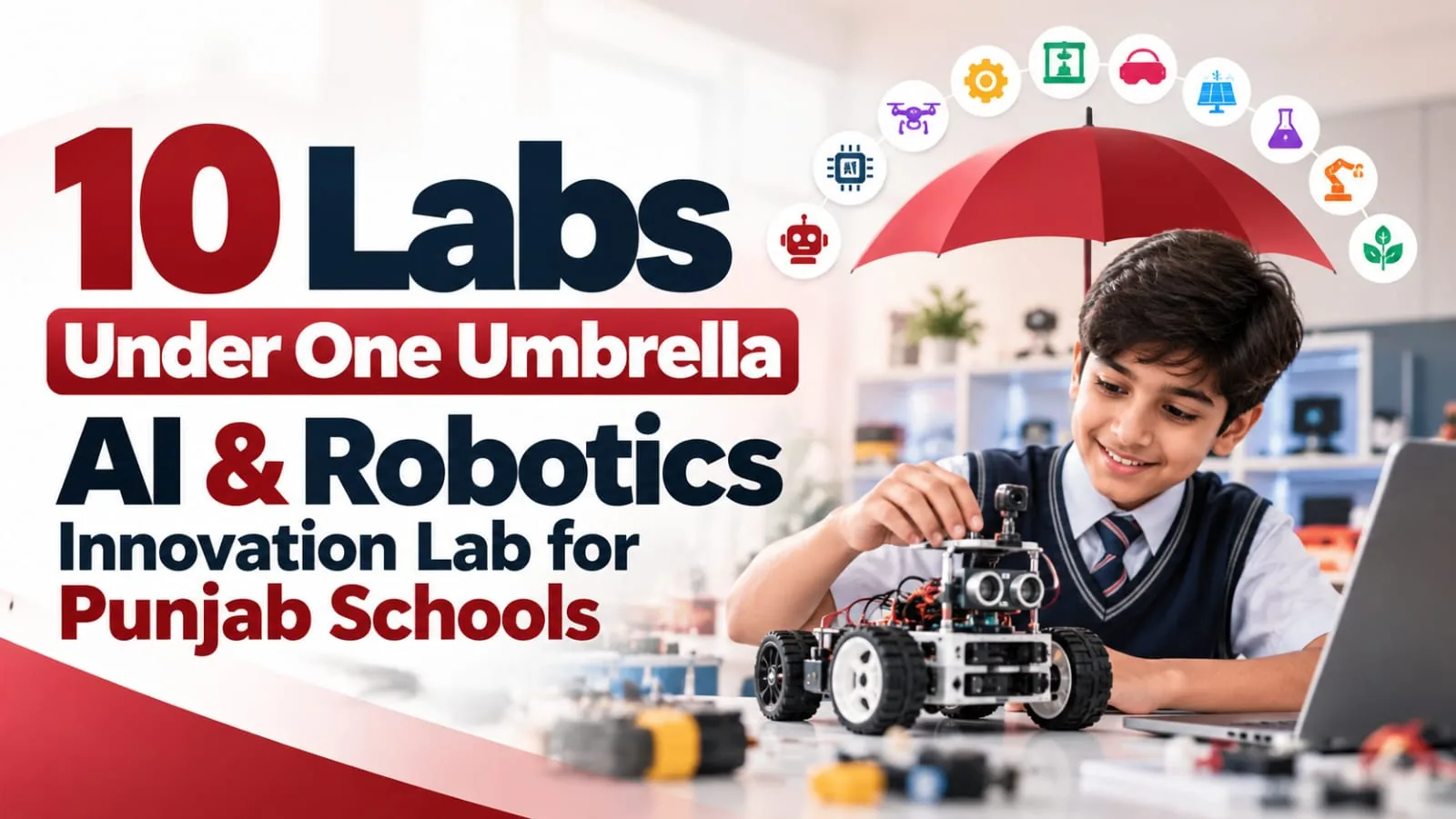
The Class ON Innovation Lab brings 10 labs under one umbrella for Punjab schools: AI, Robotics, Drone Development, Space Tech, Coding and Computational Thinking, Aeromodelling, Electronics and IoT, 3D Printing and Designing, AR/VR, and Robotic Hand. Class ON sets up the complete lab on campus with kits, stations, wall design, a practical curriculum and teacher training.
Key takeaways
- Ten labs, one partner: a school does not need a separate vendor for robotics, drones, 3D printing and VR. Class ON sets up all of it under one roof.
- Two packages: Package 1 is the core innovation lab. Package 2 adds AR/VR, an AI-powered humanoid robot, a robotic hand, a robotics soccer arena, a 65-inch smart panel and an aeromodelling station.
- More than kits: the lab comes with setup and decoration, the Code4AI coding platform, a practical curriculum with one small book for each class, teacher training and student certificates.
- The timing is right: CBSE has started an AI and computational thinking curriculum for Classes 3 to 8 from 2026-27, and every CBSE school must have a Composite Skill Lab by 22 August 2027.
- Made in Punjab, for Punjab: Class ON is a Ludhiana company, and the Innovation Lab is launching for schools across Punjab.
- Parents can see it: a working lab is one of the strongest things a school can show during admissions.
Why we are bringing this lab to Punjab
In the schools I visit, AI has become one of the most common topics. Principals want to know how to teach it. Teachers want to know where to start. Parents want to know whether their child's school is keeping up.
Most schools I meet already understand that children should learn by building, not only by reading. What stops them is the setup. One company sells robotics kits, another sells drones, a third sells 3D printers, and nobody trains the teachers. After two years, the kits are still in their boxes.
I'm Milan Hans, Founder and CEO of Smartway Media Pvt. Ltd. in Ludhiana. We have been working with schools since 2009, and our AI-powered school ERP, Class ON, is used by 1,000+ schools across 24+ states. We built the Class ON Innovation Lab to solve exactly this problem: ten future-ready labs, one partner, one plan, and teachers who are trained to run it.
Punjab is our home state, so it is where we are launching. This guide explains what each of the ten labs does, what gets installed, how the lab runs in the timetable, and how schools in Ludhiana, Jalandhar, Amritsar, Patiala, Bathinda, Mohali and the rest of Punjab can get started.
What is the Class ON Innovation Lab?
The Class ON Innovation Lab is a hands-on space inside your school where students learn AI, robotics, coding, electronics and design by building working projects. "One umbrella" means ten labs run as one programme, with one partner responsible for all of it. In most schools, the ten labs sit in one well-planned room as separate stations.
A lab is more than equipment. This is what a school gets:
|
Part |
What it means for your school |
|---|---|
|
Infrastructure |
Kits, machines, tools and stations, installed on your campus |
|
Lab design |
Layout, wall graphics, signage and learning corners, so the room looks and feels like an innovation lab |
|
Curriculum |
A practical, class-wise programme with one small book for each class |
|
Coding platform |
Code4AI, where students write code for their robots and projects |
|
Teacher training |
Training on the exact equipment installed, plus ongoing support |
|
Recognition |
Certificates for students, and projects they can show at exhibitions and competitions |
Why do Punjab schools need an AI and robotics lab now?
Four changes have moved these labs from "nice to have" to "expected".
1. AI now starts in Class 3. On 1 April 2026, CBSE launched a curriculum on computational thinking and AI for Classes 3 to 8, starting with the 2026-27 session. Schools need a place where students can actually practise it.
2. The CBSE Composite Skill Lab deadline is close. Every CBSE-affiliated school must have a fully equipped Composite Skill Lab by 22 August 2027. CBSE's guidelines list electronics, sensors, motors, soldering kits and computers for AI work, and Kaushal Bodh projects like maker skills, home automation and AI assistant. An Innovation Lab covers a large part of this. We have written a separate guide to the CBSE Composite Skill Lab deadline for Punjab schools.
3. NEP 2020 asks for learning by doing. The policy and the national curriculum framework ask for skill education from Class 6 and for projects instead of rote learning.
4. Parents are asking. Questions about coding, robotics and AI now come up at the admission desk, the same way parents once asked about computer labs and smart classes.
Is the lab only for CBSE schools?
No. The Innovation Lab is not tied to one board. CBSE schools can use it for the AI curriculum and the Composite Skill Lab. PSEB, CISCE, IB and Cambridge schools can use it for STEM periods, clubs, exhibitions and project work. Class ON already works with schools on all these boards.
How is it different from an Atal Tinkering Lab?
An Atal Tinkering Lab (ATL) is a government-supported lab under NITI Aayog's Atal Innovation Mission, given to selected schools. The Class ON Innovation Lab is your school's own lab, set up on your timeline, with the stations you choose. Also note that CBSE's guidelines say an ATL cannot be converted into a Composite Skill Lab, so a school with an ATL still needs a separate skill lab.
What are the 10 labs under the Class ON umbrella?
|
# |
Lab |
What students do |
Example project |
|---|---|---|---|
|
1 |
AI Lab |
Explore artificial intelligence, machine learning and how smart systems work |
A voice-controlled assistant |
|
2 |
Robotics Lab |
Design, build and program robots for real-world challenges |
An obstacle-avoiding robot |
|
3 |
Drone Development Lab |
Build, code and fly drones and learn the technology behind them |
Auto take-off and landing |
|
4 |
Space Tech Lab |
Discover space, satellites, rockets and astronomy |
Observing the moon and planets |
|
5 |
Coding and Computational Thinking Lab |
Learn to code and solve problems step by step |
A game or animation in block coding |
|
6 |
Aeromodelling Lab |
Design and build aircraft models and learn how flight works |
A wooden model plane that flies |
|
7 |
Electronics and IoT Lab |
Build circuits and smart devices that connect to the real world |
A smart irrigation system |
|
8 |
3D Printing and Designing Lab |
Design ideas in 3D and print them as real objects |
A prototype part or model |
|
9 |
AR/VR Lab |
Step into immersive worlds for science, history and careers |
A virtual trip inside the human body |
|
10 |
Robotic Hand Lab |
Build and control a robotic hand and learn biomechanics |
A gesture-controlled hand |
1. AI Lab
Students learn what AI is, how machines learn from data and where AI shows up in daily life. Then they build with it: chatbot interfaces, simple decision systems, voice interaction projects and AI-controlled robots. In Package 2, the lab also gets an AI-powered humanoid teaching robot that can hold a conversation and answer questions, with facial expressions and head, arm and hand movement. Students and visiting parents both remember it.
2. Robotics Lab
The heart of the lab is the ClassBot AI and Robotics Kit. It has dual IR sensors, programmable buttons, a motor driver, DC motors, servo control and plug-and-play ports for ultrasonic, line tracking, light, temperature, humidity, gas, RFID, Bluetooth, Wi-Fi and camera modules. Students build line-following, obstacle-avoiding, maze-solving, gesture-controlled, Bluetooth-controlled and voice-controlled robots. CraftIQ add-ons, precision-cut MDF structures, turn the kit into working models. In Package 2, a robotics soccer arena lets teams program robots and compete.
3. Drone Development Lab
The Drone Innovation Station comes with 10 DIY drones. Students assemble them, learn flight control and stabilisation, understand basic aerodynamics and electronics, and program the drones with beginner-friendly software. Projects include aerial survey, obstacle avoidance, follow-me flight, auto take-off and landing, and simulated payload delivery. In a state where drones are already used on farms, this lab connects easily to what children see at home.
4. Space Tech Lab
The Space Technology Station has a 70 mm telescope with 20 mm, 12.5 mm and 6 mm eyepieces, a 2x Barlow lens and a star pointer finder scope. Students observe the moon, planets, star clusters and constellations, and learn about satellites, rockets and space careers. It is ideal for an astronomy club and for science exhibitions.
5. Coding and Computational Thinking Lab
Coding is taught in four levels: tap-and-build programming, flowchart programming, block-based programming in the style of Scratch, and then Python. Students code on the Code4AI platform, which has a block coding interface, Python, AI-enabled projects, simulation before uploading code to the robot, guided activities, challenges and assessments. This lab matches CBSE's computational thinking curriculum most directly.
6. Aeromodelling Lab
Students build a model airplane from a DIY kit with pre-cut wooden parts, a DC motor, propeller and landing gear. Along the way they learn lift, thrust, drag and balance, then test, fly and improve their design. In Package 2, the lab gets a full aeromodelling station.
7. Electronics and IoT Lab
Students work with sensor add-ons (ultrasonic, LDR, soil moisture, rain drop, flame and smoke sensors), servo motors, keypads, potentiometers, breadboards, LEDs and jumper wires. A soldering station and a full tools station let them build real circuits. Projects include a weather monitoring station, smart irrigation, home automation, water level monitoring, smart street lights, a fire alarm, a smart dustbin and a smart attendance system. In Punjab, a smart irrigation system with a soil moisture sensor is a project students' families understand immediately.
8. 3D Printing and Designing Lab
The 3D Printing and Prototyping Station comes with a 3D printer and multi-colour PLA filament. Students follow the full journey: imagine, design the model, prepare it for printing, print, finish and improve. They print prototypes, engineering parts, educational models and creative designs, and they learn the design thinking behind every product they use.
9. AR/VR Lab
In Package 2, the Virtual Reality Learning Station comes with two VR headsets. Students take virtual field trips, explore STEM simulations, go inside the human body, travel through space, step into history and explore future careers. Concepts that are hard to imagine from a textbook become easy to see.
10. Robotic Hand Lab
Students work with a 3D printed robotic hand with servo-driven fingers, programmable in Arduino or Scratch. They learn how real robotic hands move, and they build pick-and-place and gesture-control projects. It opens a conversation about how robotics is used in healthcare and industry.
What does Class ON install in the lab?
Class ON offers the Innovation Lab in two packages. Package 1 is the core lab that every school needs. Package 2 adds the advanced stations that turn the lab into a showpiece, and brings all ten labs together.
|
# |
Station or product |
Package 1 |
Package 2 |
|---|---|---|---|
|
1 |
ClassBot AI and Robotics Kit |
Included |
Included |
|
2 |
CraftIQ add-ons |
Included |
Included |
|
3 |
IoT sensor add-ons |
Included |
Included |
|
4 |
Drone Innovation Station |
Included |
Included |
|
5 |
Aeromodelling Station |
Not a separate station |
Included |
|
6 |
3D Printing and Prototyping Station |
Included |
Included |
|
7 |
Space Technology Station |
Included |
Included |
|
8 |
AR/VR Learning Station |
Not included |
Included, with 2 VR headsets |
|
9 |
65-inch smart interactive panel |
Not included |
Included |
|
10 |
AI-powered humanoid robot |
Not included |
Included, 1 unit |
|
11 |
Robotic hand |
Not included |
Included |
|
12 |
Robotics soccer arena |
Not included |
Included |
|
13 |
Soldering station |
Included |
Included |
|
14 |
Innovation tools station |
Included |
Included |
|
15 |
Lab decoration and lab setup |
Included |
Included |
|
16 |
Code4AI coding platform and coding support |
Included |
Included |
Which package suits which school? Package 1 gives a complete working lab for robotics, AI, coding, electronics and IoT, drones, 3D printing and space technology. Package 2 suits schools that want the lab to be the highlight of every campus tour, with a humanoid robot, AR/VR, a robotic hand, a soccer arena for robot matches and a smart panel for teaching. Our team shares the details of both packages when they visit your school.
The tools and soldering stations
The soldering station has adjustable temperature from 200°C to 450°C, a stand and a cleaning sponge. The tools station is a pegboard with pliers, a wire stripper, screwdrivers and precision screwdrivers, Allen keys, a hacksaw, a hammer, a cutter, tweezers, a measuring tape, a helping hand with magnifier, a cutting mat and labelled storage bins for screws, connectors and wires. Every tool has a fixed place, so the teacher can check at a glance that nothing is missing.
The 65-inch smart panel
In Package 2, the teaching wall gets a 65-inch interactive panel with a 4K display, 40-point touch, Android, wireless screen sharing and built-in speakers. Teachers use it to demonstrate code, show a project step by step and run quizzes.
Lab decoration
A lab should make students want to walk in. Class ON designs and installs the whole look: wall vinyl, educational and motivational posters, 3D hanging planets, rockets and robots, thematic wall graphics, lab branding and signage, learning corners and ceiling and wall finishes. Parents notice the difference in the first ten seconds.
What your room needs
- Space: a room of about 600 sq ft works well for a batch of around 30 students working in groups. This also matches CBSE's Composite Skill Lab size.
- Power: enough sockets at table height, with proper earthing. In Punjab, add a UPS for the computers and panel, because summer power cuts are common.
- Internet: a stable connection for the coding platform.
- Storage: lockable cupboards so kits are counted in and out after each class.
- Safety: a first aid box, a fire extinguisher and safety goggles for soldering and cutting work.
What will students learn, class by class?
The Class ON curriculum is practical first. Students spend most of every lab period building, coding and testing, not copying notes. Each class gets one small book for the year, which lays out the activities and projects and gives the teacher a clear path to follow.
|
Stage |
Classes |
What students learn |
Example project |
|---|---|---|---|
|
Explore |
3 to 5 |
Patterns, sequences and logic through tap-and-build and block coding; where AI appears in daily life |
A model that moves with a motor |
|
Build |
6 to 8 |
Sensors, motors and circuits; flowchart and block coding; how machines learn from data |
A smart dustbin that opens on its own |
|
Program |
9 and 10 |
Python, IoT, 3D design, drone basics, simple AI projects |
A weather station that sends readings to a phone |
|
Create |
11 and 12 |
Independent projects that combine AI, robotics and electronics; competitions and portfolios |
A gesture-controlled robotic hand |
By the end, students build real skills in AI, robotics engineering, programming logic, design thinking, computational thinking, electronics, sensor integration, automation, IoT, innovation and teamwork.
How does the lab fit into the school timetable?
One or two lab periods a week for each class is enough to run a full-year programme. A double period works better than two single periods, because building and testing takes time. Many schools also run an after-school lab club for students who want to go further or prepare for competitions and exhibitions.
Who teaches in the lab?
Your own teachers, once they are trained. A science, maths or computer teacher who is curious and willing to learn makes a good lab teacher. Class ON supports them with:
- Training on the exact kits and machines installed in your lab
- Expert mentorship and guidance
- The class-wise books and ready activities
- Tutorials, guides and resources on the Code4AI platform
- A dedicated online support team when a teacher gets stuck
The Class ON advantage
- Hands-on learning: students learn by doing projects with real-world uses.
- Expert mentorship: experienced mentors guide students and support teachers.
- Real-world applications: projects solve real problems, like irrigation, safety and smart homes.
- Future-ready skills: critical thinking, creativity and technical ability.
- Certificates and recognition: students earn certificates and show their work with pride.
- Fun and engaging: a joyful lab keeps curiosity alive all year.
Built to work with your Class ON ERP
If your school already uses Class ON, the lab fits into the system you run every day. Lab periods go into the same timetable. Student projects and certificates can be shared with parents on the Class ON parent app, and lab work can be reflected in the holistic progress card. One partner for your ERP and your lab means one number to call.
Why does the Innovation Lab suit schools across Punjab?
Punjab is a state that makes things and grows things. That makes the lab easy to connect to students' lives. A project means more when a child can see the same idea at work in their own city.
|
City or region |
What students see around them |
Labs that connect best |
|---|---|---|
|
Ludhiana |
Manufacturing: bicycles, auto parts, machine tools, hosiery |
Robotics, Electronics and IoT, 3D Printing and Designing |
|
Jalandhar |
Sports goods and hand tools |
3D Printing and Designing, Robotics, Robotic Hand |
|
Amritsar |
Heritage and tourism |
AR/VR, Space Tech, Coding |
|
Mohali |
IT companies and technology parks |
AI, Coding and Computational Thinking, Electronics and IoT |
|
Patiala, Bathinda, Sangrur and the Malwa belt |
Farming and agri-technology |
Drone Development, Electronics and IoT (smart irrigation, soil moisture), AI |
|
Every district |
Parents who want a future-ready school |
The full ten-lab programme |
How does the Innovation Lab help with the CBSE Composite Skill Lab?
CBSE schools in Punjab have until 22 August 2027 to set up a fully equipped Composite Skill Lab. The Innovation Lab covers a big part of it:
|
CBSE asks for |
What the Innovation Lab provides |
|---|---|
|
Electronics and mechatronics tools: boards, sensors, motors, soldering kits, hand tools |
ClassBot kits, IoT sensor add-ons, soldering station and tools station |
|
Kaushal Bodh projects like maker skills, home automation and AI assistant |
CraftIQ builds, IoT home automation and AI projects |
|
Pegboards for tools |
Tools station with every tool labelled |
|
Projection area with a screen |
65-inch smart interactive panel (Package 2) |
|
Speaking walls and labelled zones |
Lab decoration, signage and learning corners |
|
Trained teachers |
Teacher training on the installed equipment |
For the skill subjects outside technology, Class ON also sets up the complete Composite Skill Lab under one roof. Our CBSE Composite Skill Lab guide for Punjab schools explains the rules, size, equipment and deadline in detail.
How does the lab help admissions?
Every school says it offers "future-ready education". Very few can walk a parent into a room where a Class 6 student is programming a robot or flying a drone. A lab turns the claim into something parents can see.
- It makes the campus tour memorable. Parents remember the one thing that surprised them.
- It answers a question parents already ask. "Do you teach coding and AI?" now comes up at the admission desk.
- It sets you apart from the school next door. When fees and results look similar, parents choose the school that offers something more.
- It gives you content all year. Student projects make better posts, reels and newspaper stories than any stock photo.
- It builds a portfolio. For families thinking about engineering, technology or study abroad, real projects and certificates count.
How to set up the Innovation Lab in your school: 6 steps
- Book a visit. Call 90237-90237 or book a demo. Our team visits your campus.
- Choose the room and the package. We check the room, power and internet, and help you choose between Package 1 and Package 2.
- Design and install. Class ON designs the layout and the walls, installs the stations and sets up the coding platform.
- Train the teachers. Your lab teachers are trained on the exact equipment before students walk in.
- Put it in the timetable and launch. Give each class a fixed lab slot and open the lab with a parent event.
- Keep it running. Ongoing support, books for each class, certificates and competitions keep the lab busy all year.
When should a Punjab school start?
|
When |
What to do |
|---|---|
|
October to December 2026 |
Visit, room check, package chosen |
|
January to March 2027 |
Lab design, installation and teacher training |
|
April 2027 |
Lab running from the first week of session 2027-28 |
|
By 22 August 2027 |
CBSE schools: Composite Skill Lab complete |
If the lab is ready when the new session starts, it is in the timetable from day one, and it is ready to show parents during the 2027-28 admission season.
7 questions to ask any lab partner before you sign
- Exactly which kits and machines are included, and how many of each?
- Is a class-wise curriculum included, and for which classes?
- How much teacher training is included, and is there refresher training?
- Who repairs or replaces equipment, and how quickly?
- Are consumables like filament, batteries and components included?
- Will students receive certificates?
- Can we start with the core lab and add advanced stations later?
A good partner answers all seven in writing. If a vendor only talks about the kits, that tells you what you will get.
5 mistakes Punjab schools should avoid
- Buying kits without a curriculum. Equipment without a plan for each class ends up locked in a cupboard.
- Skipping teacher training. A lab runs only when a teacher is confident running it.
- Keeping the lab out of the timetable. If there is no fixed weekly slot, the lab becomes a showroom for visitors.
- Using a different vendor for every lab. Five vendors means five contracts, five support numbers and nobody responsible for the whole.
- Ignoring power backup. Summer power cuts in Punjab can stop a coding period halfway. A UPS for the computers and panel solves it.
Conclusion: where ideas become reality
The question for Punjab schools is no longer whether to teach AI, robotics and coding. CBSE has started AI from Class 3, the Composite Skill Lab deadline is fixed, and parents are already asking. The real question is how to do it properly, so the lab is still busy three years from now.
The Class ON Innovation Lab answers that with ten labs under one umbrella, one partner, a practical curriculum and trained teachers. Today's learners are tomorrow's innovators. Give them a place to start.
Want the Innovation Lab in your school? Call Class ON at 90237-90237, email [email protected] or book a demo. Our team will visit your campus, check your room and help you choose the right package.
Frequently asked questions
What is the Class ON Innovation Lab?
The Class ON Innovation Lab is a hands-on lab programme that brings ten future-ready labs under one umbrella: AI, Robotics, Drone Development, Space Tech, Coding and Computational Thinking, Aeromodelling, Electronics and IoT, 3D Printing and Designing, AR/VR, and Robotic Hand. Class ON installs the lab, designs it, provides the curriculum and trains the teachers.
What are the 10 labs under one umbrella?
The ten labs are the AI Lab, Robotics Lab, Drone Development Lab, Space Tech Lab, Coding and Computational Thinking Lab, Aeromodelling Lab, Electronics and IoT Lab, 3D Printing and Designing Lab, AR/VR Lab and Robotic Hand Lab. In most schools, they are set up as stations in one well-planned room.
Which company sets up AI and robotics labs for schools in Punjab?
Class ON, a product of Smartway Media Pvt. Ltd., Ludhiana, sets up complete AI and robotics innovation labs for schools across Punjab, including Ludhiana, Jalandhar, Amritsar, Patiala, Bathinda and Mohali. Class ON works with 1,000+ schools across 24+ states. Call 90237-90237.
What is the difference between Package 1 and Package 2?
Package 1 is the core lab: ClassBot robotics kits, CraftIQ and IoT add-ons, drones, 3D printing, space technology, soldering and tools stations, lab decoration and the Code4AI coding platform. Package 2 adds AR/VR, an AI-powered humanoid robot, a robotic hand, a robotics soccer arena, a 65-inch smart panel and an aeromodelling station.
How much does the Class ON Innovation Lab cost?
The cost depends on the package you choose and the number of students in the programme. Class ON shares a clear quote after visiting your school and checking your room. To get one, call 90237-90237 or book a demo at classonapp.com/sales.
How much space does the lab need?
A room of about 600 sq ft works well for a batch of around 30 students working in groups. It needs enough power sockets with earthing, a UPS for the computers and panel, a stable internet connection, lockable storage and basic safety equipment.
Does the Innovation Lab help with the CBSE Composite Skill Lab?
Yes. It covers a large part of what CBSE asks for, including electronics and mechatronics tools, AI and maker projects, tool pegboards, wall design and teacher training. For the skill subjects outside technology, Class ON also sets up the complete Composite Skill Lab, which CBSE schools must have by 22 August 2027.
From which class can students start?
Students can start in Class 3. CBSE has launched a computational thinking and AI curriculum for Classes 3 to 8 from the 2026-27 session. Younger students begin with patterns, logic and block coding, and move to sensors, Python and AI projects in higher classes.
Do schools need to hire special teachers for the lab?
No. Existing science, maths or computer teachers can run the lab after training. Class ON trains them on the installed equipment and supports them with class-wise books, mentorship and an online support team.
Is the Innovation Lab only for CBSE schools?
No. The lab works for schools on any board. CBSE schools can use it for the AI curriculum and the Composite Skill Lab, while PSEB, CISCE, IB and Cambridge schools can use it for STEM periods, clubs, exhibitions and project work.
Class ON Innovation Lab kya hai aur Punjab ke schools ko kyun lena chahiye?
Class ON Innovation Lab mein 10 labs ek hi chhatri ke neeche aate hain: AI, Robotics, Drone, Space Tech, Coding, Aeromodelling, Electronics aur IoT, 3D Printing, AR/VR aur Robotic Hand. Class ON lab lagata hai, decorate karta hai, books deta hai aur teachers ko train karta hai. CBSE ka AI curriculum aur Composite Skill Lab deadline dono ke liye ye lab kaam aata hai, aur parents ko school ki taraf kheenchta hai.
Milan Hans
Founder & CEOMilan Hans, also known as Milan Singh Hans, is an Indian entrepreneur, director, admission booster coach, and businessperson based in Ludhiana, a large industrial city in the Punjab. He is the president of the Malout Helping Foundation, an NGO. Milan Hans is the creator and CEO of Class ON, an application that feeds quick communication to parents and students. He has been awarded many notable awards, such as the Youth Icon Award 2015, the Excellent Work Award 2012, and the Innovation in Education & Technology Award 2019.