

.jpg) Milan Hans
-October 27, 2026
Milan Hans
-October 27, 2026
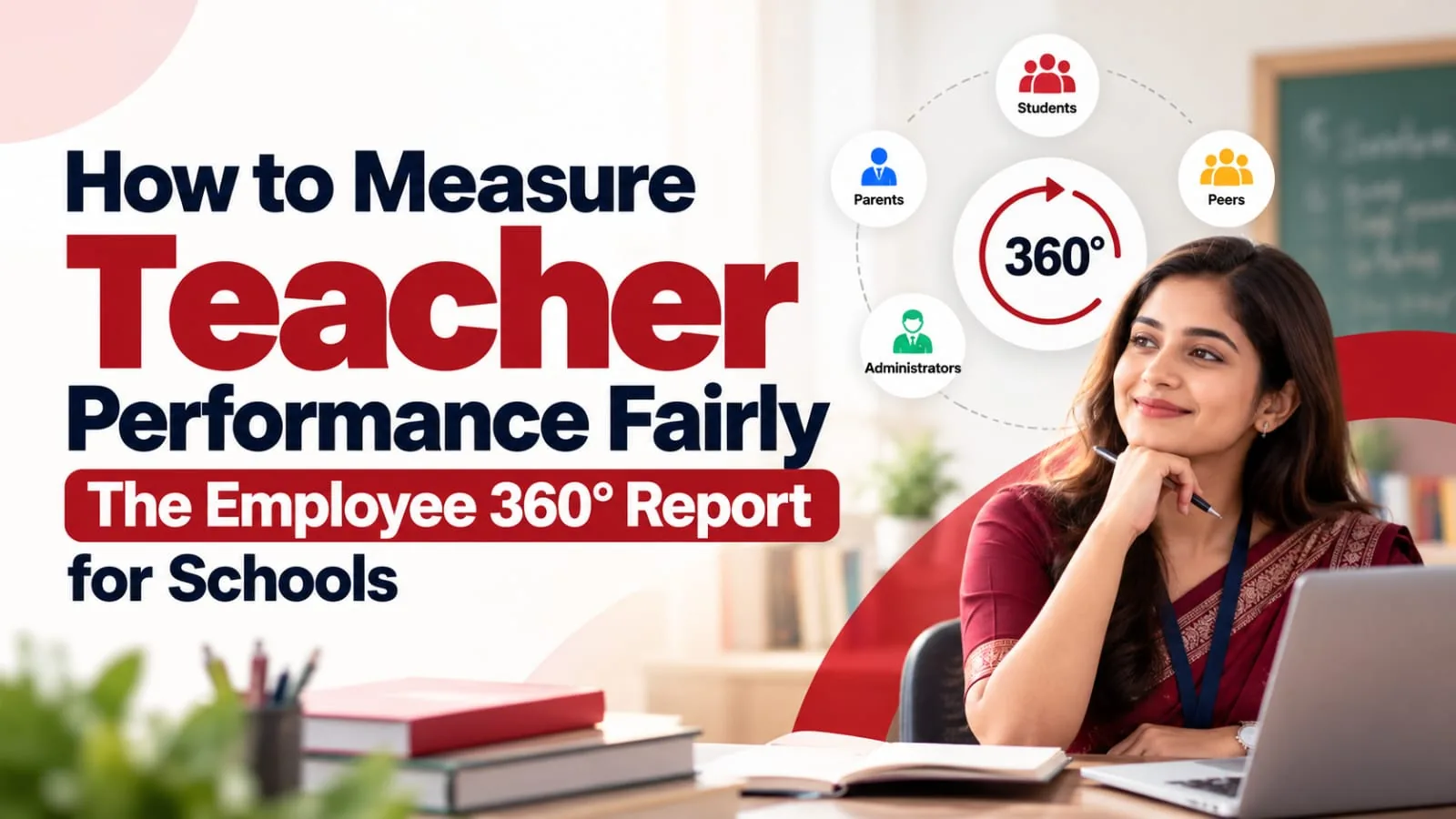
To measure teacher performance fairly, judge teachers on the work they actually do, every month, against their own last month, not on opinions once a year. Class ON's Employee 360° Report does this automatically. It turns each teacher's attendance, class duties, homework, tests, communication and tasks in the school ERP into one score out of 100, with plain-language insights and a ready review agenda. And it is fully customisable: each school decides what its report should track.
Key takeaways
- Most teacher appraisals are once a year and based on opinion. By the time a problem shows up, the year is over.
- Fair measurement needs real data, every month. What the teacher actually did, not what someone remembers.
- The standard report covers 8 areas: attendance, class incharge duties, teaching and academic activity, student engagement, communication, module usage, task completion and student outcomes. Schools can add anything else they want to track, because the report is fully customisable.
- It is built to be fair. Work that was never assigned is left out, not scored as zero. Each teacher is compared only with their own last month, never with another teacher.
- It speaks in simple words. "Doing well" and "Needs work", so a principal understands it in seconds.
- It ends with a review agenda, ready for a 15-minute monthly meeting with the teacher.
Why I wrote this guide
Every school owner and principal knows the feeling. You believe some teachers are carrying the school and some are coasting, but when appraisal time comes, all you have is a form, a few memories and a lot of opinions. Good teachers feel unrecognised. Weak areas go unnoticed until parents complain.
I'm Milan Hans, Founder and CEO of Smartway Media Pvt. Ltd. in Ludhiana. Our AI-powered school ERP, Class ON, is used by 1,000+ schools across 24+ states, and we have been working with schools since 2009. In a school that runs on an ERP, almost everything a teacher does already leaves a record: attendance marked, homework posted, tests entered, messages answered. We asked a simple question: why not turn that record into a fair, monthly picture of each teacher's work?
The answer is the Employee 360° Report, a new feature in Class ON. This guide explains how to measure teacher performance fairly, what the report shows, how it is scored, and how principals can use it without turning it into a stick.
Why is teacher performance so hard to measure?
Most schools use one of these five methods. Each has a real problem.
|
Common method |
The problem |
|---|---|
|
Annual appraisal form |
Once a year. By the time a gap shows up, the session is over. |
|
Principal's opinion |
Depends on memory and recent events. A teacher who had one bad week in March can lose a good year. |
|
Self-appraisal |
Almost everyone rates themselves highly, so it rarely tells the school anything new. |
|
Student and parent feedback |
Useful, but often measures popularity more than the work done. |
|
Board results only |
Results depend on the batch, the section and many other teachers. It is unfair to judge one teacher on them alone. |
There is another problem that school owners rarely talk about: a teacher's invisible work goes unseen. Marking class attendance every single day, updating the class gallery, holding the PTM, replying to parents on time. None of this shows up in a once-a-year form, yet it is exactly what parents notice.
And in a big school with 60, 80 or 150 teachers, or a group with several branches, no principal can personally observe everyone. They need a system.
What does NEP 2020 say about teacher performance?
NEP 2020 (paragraph 5.20) asked for National Professional Standards for Teachers (NPST), including standards for performance appraisal at each career stage. In NCTE's words, "Promotions and salary increases will not occur based on the length of tenure or seniority." In other words, the direction of policy is clear: teachers should grow on the basis of their work, and schools need a fair, evidence-based way to see that work.
What does a fair measure of teacher performance need?
Before choosing any tool, agree on what "fair" means. These six principles are a good test.
|
Principle |
Why it matters |
|---|---|
|
Based on real work |
Records of what the teacher actually did, not what someone remembers |
|
Monthly, not yearly |
Small gaps can be fixed in the same session |
|
Only counts what was assigned |
A teacher should never lose marks for a duty that was never given |
|
Compares a teacher with their own past |
Different classes and roles make teacher-vs-teacher comparisons unfair |
|
Easy to understand |
If the report needs an expert to read it, it will not be used |
|
Leads to a conversation |
The goal is improvement and recognition, not punishment |
The Employee 360° Report was designed around exactly these six principles.
What is the Employee 360° Report?
The Employee 360° Report is a monthly report in the Class ON school ERP that shows a teacher's complete work in one place. It is generated automatically from the teacher's own work in the ERP, with no forms to fill and no ratings to give. Each report includes:
- A 360° score out of 100, placed in a colour zone
- "In Simple Words": a one-line summary, with what is going well and what needs work
- A breakdown across 8 areas, showing the points earned and missed in each
- A month-on-month comparison, explaining why the score went up or down
- Module details, such as day-by-day attendance and class incharge jobs
- A review agenda with tick boxes, plus signature lines for the teacher and the principal
The score is placed in one of five zones:
|
Zone |
Score |
|---|---|
|
Excellent |
90 to 100 |
|
Good |
75 to 89 |
|
Okay |
60 to 74 |
|
Needs work |
40 to 59 |
|
Low |
0 to 39 |
What does the Employee 360° Report measure?
The standard report looks at 8 areas of a teacher's work, which is why it is called "360°". These 8 areas are the starting point, not the limit, as the next section explains.
|
Area |
What it checks |
|---|---|
|
1. Attendance |
Was the teacher at school? Present, absent, leave, half day, short leave and on-duty days are all recorded. Half days count half, and holidays are left out. |
|
2. Class incharge duties |
Three jobs every class incharge does each month: marking class attendance every day, uploading class gallery photos, and holding and updating the PTM |
|
3. Teaching and academic activity |
Homework and class tests in every subject the teacher is assigned, and how many students actually opened the homework |
|
4. Student engagement |
Notes the teacher records about individual students |
|
5. Communication responsiveness |
Replies to School Wall messages and parents, against a reply-time target such as 24 hours |
|
6. Module usage |
How many of the Class ON modules the teacher actually uses |
|
7. Task completion |
Tasks assigned to the teacher in the Task Manager, completed on time or still overdue |
|
8. Student outcome |
Results of the class tests the teacher conducts |
Schools can set their own targets, for example two gallery updates a month, one PTM a month and replies within 24 hours. The report then checks each teacher against those targets.
Can a school customise the Employee 360° Report?
Yes, completely. This is what makes the Employee 360° Report different.
The 8 areas above are only the standard starting point. Class ON asks every school one simple question: what do you want to see in your teachers' 360° report? Whatever the school needs is added to its report. The school decides what is measured, not the software company.
This matters because no two schools run the same way. A CBSE senior secondary school may care most about lesson plans and remedial classes for board batches. A school group may want one common yardstick across all its branches. A school with a large transport network may want bus duty in the report. A school focused on punctuality may want late arrivals tracked. Each of them gets a report shaped around its own priorities.
Examples of what a school can ask to add
|
What the school wants to track |
Why a school might want it |
|---|---|
|
Lesson plans submitted on time |
Shows planning, not just teaching |
|
Diary and notebook checking |
A daily job parents notice immediately |
|
Substitution periods taken |
Rewards teachers who step in when others are absent |
|
Late arrivals |
For schools that value punctuality |
|
Exam and invigilation duties |
Counts work that usually goes unseen |
|
Co-curricular and event responsibilities |
Annual day, sports day and competitions take real effort |
|
Training and professional development hours |
CBSE expects teachers to complete 50 hours of professional development a year |
|
Parent queries resolved |
Shows how well a teacher handles parent concerns |
Targets are the school's choice too, such as how many gallery updates a month or how fast a parent must get a reply. Because the report is built automatically from ERP records, the work a school wants to track should be recorded in Class ON. That is what keeps the report automatic and fair.
India's first fully customisable 360° report for schools
To the best of our knowledge, the Employee 360° Report is India's first teacher report that is both automatic and fully customisable for each school. Other systems we looked at let schools design appraisal forms or feedback questions, which still need people to fill them in and rate. The Employee 360° Report is built automatically from real work, and shaped around what each school wants to measure.
What does an Employee 360° Report look like? A walk through a sample
Let us walk through a real sample, with the name removed. The teacher is the class incharge of Class 9-B and teaches five subjects. The report was generated on 16 October, so it covers the first 11 working days of the month.
Page 1: The score and "In Simple Words"
The teacher's 360° score is 72.6 out of 100, in the "Okay" zone, and 12.6 points higher than September (60).
Right next to it, the report says in one line: "Great attendance and teaching, but module use and tasks need more work." Then it lists:
- Doing well: teaching and academic activity at 100%, and attendance at 100% for 11 days, up 4.2 points on September
- Needs work: module usage at only 50% (4 modules used), task completion at 0%, and student insights not used at all this month
A principal knows where this teacher stands before reading another word.
The page also shows where the 72.6 points came from:
|
Area |
Points earned |
|---|---|
|
Attendance |
21.4 of 21.4 |
|
Class incharge duties |
19.1 of 28.6 |
|
Teaching and academic activity |
28.6 of 28.6 |
|
Module usage |
3.6 of 7.1 |
|
Task completion |
0 of 14.3 |
Three areas, student engagement, communication responsiveness and student outcome, are marked "Not counted this month" because there was no activity or nothing was assigned. As the report puts it, they "never pull the score down."
The last part of page 1 is the month in numbers: own attendance 11 of 11 days, class attendance marked on 9 of 9 days, 0 of 2 gallery updates, 12 homework posts, 0 class tests, 0 of 1 task completed and 4 of 8 modules used.
Page 2: September vs October
This page answers the question every teacher asks: "Why did my score change?" It shows, step by step, how the score went from 60 to 72.6. The biggest jump came from class incharge duties, which improved from 33.3% to 66.7%. Attendance went from 95.8% to 100%.
Every area is compared with the same area last month. The report says so clearly: never with another teacher.
Page 3: The details behind each area
- Attendance: every day of the month, marked present, absent, leave, half day, short leave or on duty.
- Class incharge duties: the three jobs, with a tick or a cross. Class attendance 9 of 9 days (done), gallery 0 of 2 (not done), PTM 1 of 1 (done, 17 students covered). The report even shows the maths: (100% + 0% + 100%) ÷ 3 = 66.7%.
- Teaching and academic activity: homework was given in all 5 assigned subjects, 12 homework posts in total, and 144 of 144 students opened it. That last number matters. It shows the homework actually reached the students.
Page 4: Review and next steps
The final page is built for the monthly review meeting. It lists what is going well and what needs work, then gives five numbered discussion points, each with a tick box:
- Gallery: 0 of 2 required updates uploaded
- Task Manager: one task past its deadline
- Class test: none conducted this month
- Module usage: only 50%
- Task completion: 0%
At the bottom are signature lines for the teacher and the principal or reporting manager. The meeting has an agenda before it even starts.
What makes the Employee 360° Report fair?
A performance report is only useful if teachers trust it. These are the fairness rules built into the score.
|
Fairness rule |
What it means for the teacher |
|---|---|
|
Only your own work counts |
The report uses only the teacher's own work in the ERP, not the class's results or anyone else's actions. |
|
Not assigned means not counted |
If a teacher has no class tests scheduled or no task assigned, that area is left out. It is never scored as zero. |
|
Compared with yourself, not others |
Every area is compared with the same area last month, never with another teacher. A Class 1 teacher and a Class 12 teacher are not put in the same race. |
|
Real-life attendance rules |
Half days count half, holidays are left out, and on-duty days are recorded separately from leave. |
|
No penalty for missing school setup |
If the school has not published a timetable, the report checks subject coverage instead of periods. |
|
Same targets for everyone |
Targets such as two gallery updates a month or replies within 24 hours are set by the school and apply equally. |
|
The maths is shown |
The report shows how each percentage is calculated, so nothing is hidden. |
|
Mid-month view |
The report can be generated any day, so a teacher can fix a gap before the month ends. |
|
Signed by both |
The teacher and the principal both sign the review page. It is a shared record, not a verdict. |
What the report cannot see
Honesty matters here. A report built from ERP records cannot see what happens inside the classroom: the quality of an explanation, the patience with a struggling child, the energy in a lesson. Use the Employee 360° Report alongside classroom observation, not instead of it. The report tells you whether the work is getting done. Your classroom visits tell you how well it is being done. Together, they give the full picture.
How to run a monthly teacher review with the Employee 360° Report
A report becomes useful only when it leads to a conversation. Here is a simple monthly routine that takes about 15 minutes per teacher.
- Check mid-month. Around the 15th, glance at each teacher's report. Small reminders now, like "the gallery update is pending", save a bad score later.
- Generate the report at month end. Start with the zone and the "In Simple Words" line.
- Meet each teacher for 10 to 15 minutes. Begin with "Doing well". People listen better after they have been recognised.
- Go through the tick-box agenda. Discuss each point and tick it once it is covered.
- Agree on one or two actions for next month, not ten.
- Both sign the review page. It becomes a shared record.
- Next month, look at the same areas. Did they move? The September-vs-October page shows it instantly.
- Use three to six months of reports for appraisals and increments. A trend is far fairer than a single month.
Who benefits from the Employee 360° Report?
|
Who |
What they get |
|---|---|
|
Principal |
Every teacher's month in a few minutes, and a review meeting with a ready agenda |
|
Teachers |
Their invisible work finally counts: daily attendance, PTMs, gallery updates, homework that students actually open. Clear expectations, no favouritism, and a chance to fix gaps mid-month. |
|
School owner and management |
An objective basis for appraisals, increments and recognition, and a clear view of training needs. For school groups, the same report works across every branch. |
|
Parents |
They do not see the report, but they feel it: regular homework, updated galleries, PTMs on time and faster replies |
Three smart ways to use it
- Reward improvement, not just high scores. A "Most Improved Teacher of the Month" award follows the report's own rule: compare each teacher with their own last month.
- Turn low module usage into training, not blame. If many teachers use only half the modules, the school needs a training session, not a warning letter.
- Spot overloaded teachers. A teacher whose task completion keeps falling may simply have too much on their plate. The report helps you see it early.
Employee 360° Report vs traditional teacher appraisal
|
|
Annual appraisal form |
Feedback-based evaluation |
Class ON Employee 360° Report |
|---|---|---|---|
|
Based on |
Self-rating and the principal's opinion |
Opinions of students, parents and colleagues |
The teacher's actual work in the ERP |
|
How often |
Once a year |
Once a term or once a year |
Every month, and any day mid-month |
|
Effort for the school |
Forms to design, fill and collect |
Surveys to run and analyse |
Generated automatically |
|
Invisible work (class duties, PTM, gallery) |
Usually missed |
Usually missed |
Counted |
|
Fair to different roles |
Depends on the reviewer |
Depends on who gives feedback |
Unassigned areas are not counted |
|
Compares a teacher with |
Other teachers, often informally |
Other teachers |
Their own last month |
|
Easy to read |
Varies |
Varies |
One score, a colour zone and simple words |
|
Leads to action |
Often filed and forgotten |
Often filed and forgotten |
Ends with a tick-box review agenda |
|
Customised to the school |
Forms can be redesigned, but are filled by hand |
Questions can be changed, but depend on opinions |
Fully customisable: the school decides what is tracked, and the report stays automatic |
Feedback from students and parents still has value, and so does classroom observation. The Employee 360° Report fills the biggest gap: a fair, regular record of the work itself.
Mistakes to avoid
- Ranking teachers publicly. The report compares each teacher with their own past for a reason. Putting scores on a notice board destroys trust.
- Judging on a single month. Look for a trend over three to six months before deciding increments.
- Forgetting that only ERP work is counted. If homework is given on a separate WhatsApp group instead of the ERP, the report cannot see it. Make the ERP the one place where school work happens.
- Not explaining the targets. Tell teachers at the start of the session what is expected, like two gallery updates a month or replies within 24 hours.
- Using it instead of classroom observation. It shows whether the work is done. Observation shows how well it is done.
- Skipping the conversation. A report that is generated but never discussed changes nothing.
Conclusion: fair measurement builds better teachers
Teachers do not resist being measured. They resist being measured unfairly: once a year, on opinion, against someone else's class. Give them a fair, monthly, easy-to-read picture of their own work, and most teachers use it to improve on their own.
That is what the Employee 360° Report does. One score. Plain words. Eight areas. Last month versus this month. A ready agenda for a 15-minute conversation. And nothing counted that was never assigned. Best of all, each school decides what its report should measure.
If your school already runs on Class ON, the report is built from work your teachers are already doing in the ERP. If it does not yet, this is one more reason to look.
Want to see the Employee 360° Report for your own teachers? Call 90237-90237 or book a free demo. Our team will walk you through a live report, the 8 areas and how to set your school's targets.
Frequently asked questions
How do you measure teacher performance fairly?
Measure the work teachers actually do, every month, and compare each teacher with their own previous month rather than with other teachers. Count only the duties that were assigned, show the calculation openly, and end with a short review conversation. Combine this with classroom observation for teaching quality.
What is an Employee 360° Report?
The Employee 360° Report is a monthly report in the Class ON school ERP. It turns a teacher's own work in the ERP into a score out of 100, with a plain-language summary, a breakdown across 8 areas, a comparison with last month and a ready agenda for the review meeting.
What does the Employee 360° Report measure?
By default, it measures 8 areas: attendance, class incharge duties, teaching and academic activity, student engagement, communication responsiveness, module usage, task completion and student outcome. Areas with no activity or nothing assigned are marked "not counted" and do not pull the score down. Each school can add more areas of its own, because the report is fully customisable.
How is the 360° score calculated?
Points are shared across the areas that count that month. The report shows the points earned and missed in each area, and places the total in a zone: Low (0 to 39), Needs work (40 to 59), Okay (60 to 74), Good (75 to 89) or Excellent (90 to 100).
Does the report compare one teacher with another?
No. Every area is compared with the same area in the teacher's own previous month, never with another teacher. This keeps it fair for teachers with different classes, subjects and roles.
Can the Employee 360° Report be customised for my school?
Yes, fully. The 8 areas are only the standard starting point. Class ON asks each school what it wants to see in its teachers' 360° report, such as lesson plans, diary checking, substitution periods, late arrivals or training hours, and adds it to that school's report. Targets are set by the school too.
How often should teacher performance be reviewed?
Monthly works best for day-to-day improvement, with a quick check mid-month. For appraisals and increments, look at the trend over three to six months rather than a single month.
What are the key performance indicators (KPIs) for a school teacher?
Useful KPIs include the teacher's own attendance, class attendance marked on time, homework and class tests given in each subject, how many students open the homework, replies to parents within a set time, PTMs held, gallery and class updates, tasks completed on time and class test results.
Can the Employee 360° Report replace classroom observation?
No. The report shows whether the work is getting done, using ERP records. Classroom observation shows how well it is being done. Schools get the full picture by using both.
Which school ERP gives an automatic teacher performance report?
Class ON, an AI-powered school ERP used by 1,000+ schools across 24+ states, offers the Employee 360° Report. It builds a monthly score for each teacher from their own work in the ERP, with simple-language insights, a month-on-month comparison and a review agenda. Call 90237-90237 for a demo.
What does NEP 2020 say about teacher performance appraisal?
NEP 2020 (paragraph 5.20) called for National Professional Standards for Teachers, including performance appraisal standards for each career stage. According to NCTE, promotions and salary increases are not to be based on length of tenure or seniority alone.
Teacher ki performance kaise check karein?
Teacher ki performance har mahine uske asli kaam se check kijiye: school mein attendance, class ki attendance, homework, class tests, parents ko reply, PTM aur diye gaye tasks. Har teacher ko uske pichhle mahine se compare kijiye, doosri teacher se nahi. Class ON ki Employee 360° Report ye sab apne aap ek score aur simple shabdon mein bata deti hai.
Milan Hans
Founder & CEOMilan Hans, also known as Milan Singh Hans, is an Indian entrepreneur, director, admission booster coach, and businessperson based in Ludhiana, a large industrial city in the Punjab. He is the president of the Malout Helping Foundation, an NGO. Milan Hans is the creator and CEO of Class ON, an application that feeds quick communication to parents and students. He has been awarded many notable awards, such as the Youth Icon Award 2015, the Excellent Work Award 2012, and the Innovation in Education & Technology Award 2019.