

 Milan Hans
-November 19, 2026
A school ID card is a photo identity card for every student, teacher and staff member, usually worn on a lanyard. Indian schools mostly choose PVC, acrylic, RFID or metal cards. With Class ON's AI ID card software, class teachers click photos and correct data in the app, and Must Print gets the cards ready to dispatch in 7–10 days.
Key takeaways
- Choose the card by its job. PVC for everyday use, 4 mm acrylic for a premium look and kids' shapes, RFID or smart cards for tap-based systems, and metal for management and corporate teams.
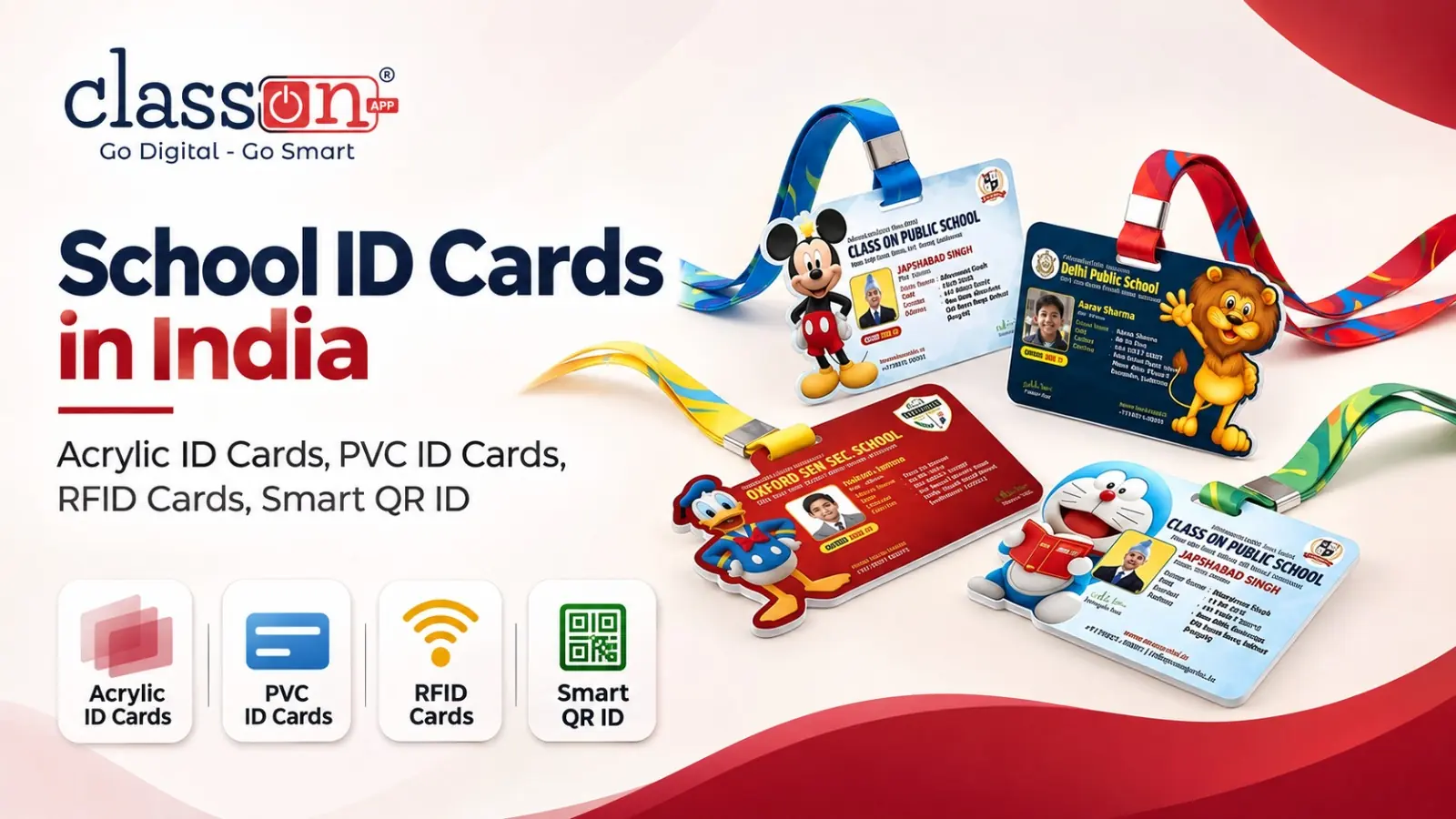
- Small children love shape cutting ID cards. Lion, elephant, zebra, tiger, rabbit, astronaut, pencil and 100+ other shapes, or a fully custom shape from your own idea.
- Print what helps in an emergency. Photo, name, class, admission number, blood group, parent's mobile number and a QR code matter more than decoration.
- The old process took 2–3 months. Photographer visits, absent students, paper proofs and repeated corrections.
- The Class ON process takes 7–10 days. Teachers click photos in the Teacher App, AI crops and cleans them, data is corrected on the spot, and the director gives one print command.
- No follow-up calls. Every order shows live in the school's panel: data submission, print process, final checking, dispatch, tracking and delivered.
Why do school ID cards still take months?
I have been visiting schools for years, and the ID card story is almost the same everywhere.
The session starts. A photographer comes to the school and spends a day clicking photos. Many students are absent that day, so he comes again. Even after the second visit, a few children are still left out.
Then the real work begins. Someone matches hundreds of photos with the student list. The vendor makes a proof. The school takes printouts of that proof and hands them to class teachers. Every teacher sits with the papers and checks names, spellings, classes, blood groups and phone numbers. The corrections go back to the vendor, a new proof comes, and the loop runs again. By the time the cards reach the children, two or three months of the session are already gone.
In the age of Digital India, a three-month wait for an ID card should not be normal. So at Class ON we rebuilt the whole process from the first photo to the final delivery. Today, the time a teacher once spent checking a paper proof is enough for her to click her whole class's photos and correct the data herself, on her phone. The cards are printed by Must Print, a venture by Class ON, and they are ready to dispatch within 7–10 days.
This guide covers everything a principal or school director needs to know: the types of ID cards, kids' shape cards, what to print on a card, lanyard and layout choices, and exactly how the AI-based process works.
What is a school ID card, and why does every school need one?
A school ID card is a printed photo identity card that tells anyone at a glance who a person is and that they belong to the school. Students wear it on a lanyard. Teachers, non-teaching staff and drivers carry their own versions, and many schools now give parents a separate parent card for pickup.
A good ID card does six jobs for a school every day:
- Safety at the gate. The guard can tell a student, a staff member and an outsider apart in seconds.
- Emergency information. Blood group, parent's mobile number and address are right there when they matter most.
- Transport. Bus staff can confirm which child belongs on which route and stop.
- Pickup. A parent card shows who is allowed to collect a child.
- Discipline and belonging. A well-designed card in school colours builds pride, and children actually wear it.
- Brand. The ID card is the one piece of your school's branding that parents and the neighbourhood see every single day.
What do India's school safety guidelines say?
Indian child safety guidelines put a lot of weight on knowing exactly who is inside the campus. CBSE's safety circular of 12 September 2017 asked schools to control access to the school building by outsiders and to monitor visitors. The NCPCR Manual on Safety and Security of Children in Schools (2021) says parents and visitors should be allowed in only after their identity is verified.
Neither document prescribes a particular card. In practice, though, photo ID cards for students and staff, plus a parent card for pickup, are the simplest daily way for a school of any board (CBSE, CISCE, State Board, IB or Cambridge) to follow that spirit.
What are the types of school ID cards?
There are two ways to look at ID cards: what the card is made of, and who carries it. Most schools need a mix of both.
Types of ID cards by material and technology
|
Card type |
What it is |
Best for |
Why schools choose it |
|---|---|---|---|
|
PVC ID cards |
Printed plastic cards in the standard bank-card size (85.6 × 54 mm), single or double sided, used with a white or transparent holder |
Students and staff in large numbers |
Durable, waterproof, easy to replace, and the most common school ID card in India |
|
Acrylic ID cards |
Crystal-clear acrylic, 4 mm thick at Must Print, printed on one or both sides, cut in any shape |
Premium schools, pre-primary and primary classes, events |
Looks and feels premium, holds bright colours, and allows shape cutting |
|
RFID cards |
A card with a small chip and antenna inside that a reader detects with a tap |
Schools using card readers for gates, attendance or library |
Contactless and quick; works with the reader system the school installs |
|
Smart ID cards |
A card linked to the school's digital system through a QR code or a chip |
Schools that want the card to open records, not just show a photo |
One scan can show a student's details to the gate, transport or library team |
|
Metal ID cards |
A premium card made of metal, printed or engraved |
Directors, trustees, principals, management and corporate leadership |
Strong, long-lasting and clearly premium |
|
Shape cutting ID cards |
Cards cut to a custom outline instead of a rectangle |
Nursery, LKG, UKG and primary classes |
Children enjoy wearing them, so they actually keep them on |
Types of ID cards by who carries them
|
Card |
Who uses it |
What makes it different |
|---|---|---|
|
Student ID cards |
Every student from nursery to Class 12 |
Class, section, admission number, blood group and parent contact |
|
Teacher ID cards |
Teaching staff |
Designation, subject or department, employee ID |
|
Staff ID cards |
Non-teaching staff: drivers, conductors, guards, helpers, lady attendants, office staff |
Role is clearly visible so parents and students know who is authorised |
|
Employee ID cards |
Office, accounts, HR and admin teams in schools and colleges |
Employee code, department and validity |
|
Parent cards |
Parents and authorised guardians |
Parent's photo with the child's name and class, used at pickup |
|
Corporate ID cards |
Companies, offices, hospitals and institutes |
Brand-led design, employee details, access control options |
A Class ON advantage: Class ON prints one universal QR code on the student ID card and the parent card. The gatekeeper scans the parent card to see which child the parent is collecting, the transport helper scans the child's card to mark bus attendance, and other departments can scan the same QR to open the student's record. The card stops being just a photo and becomes part of the school's system.
For a deeper look at chip-based cards, see Must Print's guide on RFID school ID cards.
Which shape cutting ID cards do kids love most?
Ask any pre-primary teacher and she will tell you the same thing: a plain rectangle card ends up in the school bag, but a lion-shaped card stays around the child's neck all day. For small children, the ID card is not a document. It is something they show off to friends.
That is why Must Print makes shape cutting ID cards in 100+ shapes, including:
- Animals: lion, tiger, elephant, zebra, rabbit and many more
- Space: astronaut
- Classroom: pencil
- Your own idea: a shape built around your school's mascot, logo or theme
Most shape cards are made in 4 mm acrylic, so the colours stay bright and the card feels solid in a child's hand. All the important details (photo, name, class, blood group, parent's mobile and QR code) still fit neatly inside the shape.
Want something nobody else has? Share your idea with the Must Print design team. Every school gets exclusive, customised designs, and we turn your imagination into a real card.
Vertical or horizontal ID card? 16 mm or 20 mm lanyard?
These two small choices change how the card looks every day, so decide them before the design starts.
Vertical vs horizontal ID cards
|
Layout |
How it looks |
Best for |
|---|---|---|
|
Vertical (portrait) |
Photo on top, name and details below, hangs straight on the lanyard |
Students, especially when the photo needs to be large and clear from a distance |
|
Horizontal (landscape) |
Photo on one side, details in a wider row beside it |
Teachers, staff, employees and corporate cards with more text, such as designation and department |
Many schools use vertical cards for students and horizontal cards for staff, so a guard can tell them apart even before reading the card.
16 mm vs 20 mm lanyards
|
Lanyard |
Feel |
Best for |
|---|---|---|
|
16 mm |
Slim and light |
Younger students and everyday school use |
|
20 mm |
Wider, with more space to print the school name and colours |
Senior students, teachers, staff and corporate teams |
Must Print offers both widths, printed with your school's name and colours, with a dog hook or fish hook. For a full comparison of sizes and hooks, read Must Print's lanyard size guide.
What should a school ID card include?
A good ID card answers one question fast: who is this, and whom do we call? Use this checklist when you finalise the design.
|
Detail |
Student ID card |
Teacher / staff ID card |
Parent card |
|---|---|---|---|
|
Clear recent photo |
Yes |
Yes |
Yes (parent or guardian) |
|
Full name |
Yes |
Yes |
Yes |
|
Class and section |
Yes |
No |
Child's class and section |
|
Admission number or employee ID |
Admission no. |
Employee ID |
Child's admission no. |
|
Designation or department |
No |
Yes |
Relation to the child |
|
Father's / mother's name |
Yes |
No |
No |
|
Blood group |
Yes |
Yes |
Optional |
|
Emergency mobile number |
Parent's mobile |
Emergency contact |
Parent's mobile |
|
Transport route or stop |
If the child uses the bus |
For drivers and conductors |
No |
|
School name, logo, address and phone |
Yes |
Yes |
Yes |
|
Session or validity |
Yes |
Yes |
Yes |
|
Principal's signature |
Yes |
Yes |
Yes |
|
QR code |
Yes |
Yes |
Yes |
Three mistakes to avoid
- Printing a student's Aadhaar number. It adds nothing at the gate and puts the family's data at risk. Keep it in the ERP, not on the card.
- Tiny text and a small photo. If the guard cannot read the name from a step away, the card is not doing its job.
- Old data. A wrong mobile number on an ID card is worse than none. This is exactly why the data check should happen with the class teacher, who knows her students, and not at the vendor's desk.
How long do school ID cards take: the old way vs the Class ON way
Here is the same job done two ways, step by step.
|
Step |
The old way |
The Class ON way |
|---|---|---|
|
Photos |
A photographer visits; absent students are missed; he comes again, and some are still left |
The class teacher clicks photos of her own 30–40 students in the Teacher App, on any day a child is present |
|
Photo quality |
Manual cropping, different backgrounds, mixed lighting |
AI crops the photo and applies the photo effect, so every card looks consistent |
|
Data |
The vendor matches photos with an Excel sheet by hand |
Student data is already in Class ON; the photo is saved straight to the right student |
|
Proof checking |
The school prints proofs, teachers check them on paper, corrections go back and forth |
The teacher checks and corrects the data in the app herself, then submits |
|
Ready data set |
Weeks of sorting and re-checking |
The school can have the full data set ready in a single day |
|
Approval |
Calls, emails and printed proofs to the director |
The director gives one print command from the panel |
|
Status updates |
"Bhaiya, cards kab aayenge?" calls to the vendor |
Every stage shows live in the school's panel |
|
Total time |
2–3 months |
Ready to dispatch in 7–10 days |
The biggest change is not the printing. It is who checks the data. The class teacher knows every child's name, spelling and parent. When she checks the data in the app, mistakes are caught before printing instead of after it.
How does Class ON's AI ID card software work?
Class ON has a built-in ID Card Creator where the school manages the ID card data of every student, teacher and employee. To the best of our knowledge, it is the first AI-based ID card software built for Indian schools, and it turns a two-month job into a one-day job for the school.
Here is how it works.
- The data is already there. Student, teacher and employee details already live in Class ON, so nobody types a list again or sends an Excel sheet to the vendor.
- The teacher clicks photos in the Teacher App. Each class teacher clicks photos of her own 30–40 students on her phone. A child who was absent today gets clicked tomorrow. No photographer, no second visit.
- AI handles the photo. The system crops each photo correctly and applies the photo effect, so every card in the school looks clean and uniform.
- The teacher corrects the data. While the photo is being clicked, the teacher sees the student's details and fixes any wrong spelling, class, blood group or mobile number on the spot.
- The teacher submits. Her class is done. When every class teacher submits, the school's full data set can be ready in a single day.
- The director gives the print command. One click from the panel sends the final data to Must Print. No printed proofs and no chain of approvals.
- Must Print prints and dispatches. The cards are printed, checked and ready to dispatch within 7–10 days, and the school follows every step live.
The time trick: the time a teacher used to spend checking a paper proof is now enough to click her class's photos and correct the data herself. The school does not add work. It removes two months of waiting.
The same flow works for teacher ID cards, staff ID cards and employee ID cards, so the whole school can be done in one go.
How do you track a school ID card order?
The old way had one tracking method: call the vendor and ask. With Class ON and Must Print, the whole work pipeline shows in your school's panel, so you do not need to make a single call.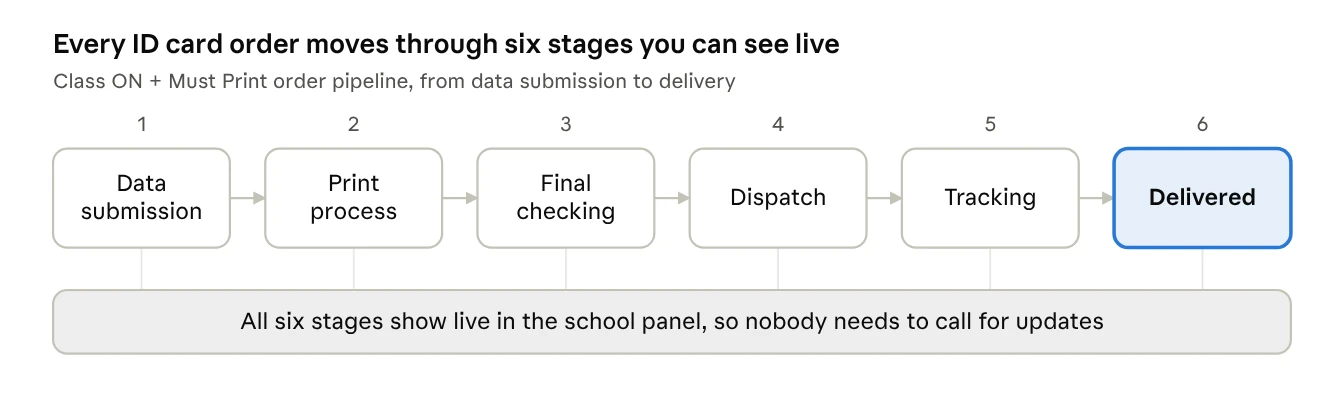
ID card order pipeline · 6 stages, all visible in the school panel
|
Stage |
What it means for the school |
|---|---|
|
1. Data submission |
Teachers have submitted photos and data, and the director has given the print command |
|
2. Print process |
Your cards are being printed at Must Print |
|
3. Final checking |
Every card is checked before it is packed |
|
4. Dispatch |
The parcel leaves Must Print for your school |
|
5. Tracking |
You can follow the shipment on its way |
|
6. Delivered |
The cards are at your school, ready to hand out |
Must Print delivers across India, so a school in Ludhiana, Lucknow or Bengaluru sees the same pipeline. The whole system runs on automation: the principal checks the status, not the phone.
Teacher, staff, employee and corporate ID cards
Student cards get most of the attention, but the adults on campus need cards just as much. Parents feel safer when every adult their child meets is clearly identified.
Teacher ID cards
Show the teacher's photo, name, designation and subject or department. A horizontal layout with a 20 mm lanyard in the school's colours gives teachers a professional look that sets them apart from students.
Staff ID cards
Drivers, conductors, guards, helpers, lady attendants and office staff should all wear cards that show their role in large text. When a parent sees "Bus Conductor, Route 4" on a card, the trust is instant. Class ON already keeps staff records, so these cards come from the same data.
Employee ID cards
For schools with large teams, and for colleges, employee ID cards carry the employee code, department and validity. Since the ID Card Creator manages employee data along with student data, a new joiner's details are already in the system when the next batch of cards is ordered.
Corporate ID cards
Must Print also makes corporate ID cards for companies, offices, hospitals and institutes: PVC, acrylic, metal, RFID and smart cards, in vertical or horizontal layouts, with printed 16 mm or 20 mm lanyards. If your trust or management group runs other businesses, the same quality standard covers them too.
Must Print's promise: only premium quality ID cards and high-quality printing, in any shape and any design, with exclusive customised designs for every client.
How do you choose the best school ID card maker in India?
Before you place your next order, ask any vendor these eight questions. A good partner will answer all of them with a clear yes.
|
Question to ask |
Why it matters |
|---|---|
|
Do you have software for photos and data, or do you need a photographer? |
Software removes absentee problems and repeat visits |
|
Can class teachers check and correct the data themselves? |
Teachers catch mistakes that a vendor never will |
|
How many days from final data to dispatch? |
A good system should not take months |
|
Can I see the order status online? |
Status calls waste the school office's time |
|
Which materials do you offer: PVC, acrylic, RFID, smart, metal? |
One partner for every card keeps quality consistent |
|
Do you make shape cutting ID cards for small children? |
Kids wear cards they love |
|
Are the designs exclusive to my school? |
Your ID card is part of your school's brand |
|
Do you print matching lanyards in 16 mm and 20 mm? |
Card and lanyard should look like one set |
For the full list, read Must Print's guide on how to choose an ID card manufacturer for your school.
Ready to make this session's ID cards the fastest ever?
If your school already uses Class ON, ask the Class ON team to set up the ID Card Creator for your school. If you are new, book a free Class ON demo at 90237-90237, or visit mustprint.in to see the full range of school ID cards, acrylic ID cards, parent cards and lanyards.
Frequently asked questions about school ID cards
What is the best material for school ID cards?
PVC is the best everyday choice for most students and staff because it is durable, waterproof and easy to replace. Choose 4 mm acrylic for a premium look or shape cutting cards for small children, RFID or smart cards when the card must work with readers or scanners, and metal for management.
What is the standard size of a school ID card?
The standard ID card size is 85.6 × 54 mm, the same as a bank card. It fits every common holder. Shape cutting and acrylic cards can be made in custom sizes.
How long does it take to make school ID cards?
With the traditional photographer and paper-proof method, it often takes 2–3 months. With Class ON's AI ID card software, the school can have its data ready in a day, and Must Print gets the cards ready to dispatch within 7–10 days.
What is the difference between PVC and acrylic ID cards?
PVC cards are thin, flexible plastic cards used with a holder. Acrylic ID cards are thicker (4 mm at Must Print), crystal-clear and rigid, and can be cut into almost any shape. Acrylic looks more premium; PVC is more practical for large volumes.
What is an RFID card, and does my school need one?
An RFID card has a small chip inside. A reader detects it when the card is tapped or brought close, so it can be used for gate entry, attendance or library systems. You need RFID cards only if your school installs RFID readers.
What is a smart ID card?
A smart ID card is linked to the school's digital system through a QR code . Class ON prints a universal QR code on the student ID card and the parent card, so the gate, transport and other departments can scan it to see the right record.
Can teachers click student photos for ID cards on their phone?
Yes. In Class ON, each class teacher clicks her students' photos in the Teacher App. AI crops each photo and applies the photo effect, and the teacher corrects the student's data before submitting. No photographer is needed.
What are shape cutting ID cards?
Shape cutting ID cards are cut to a custom outline instead of a rectangle. Must Print makes them in 100+ shapes, such as lion, elephant, zebra, tiger, rabbit, astronaut and pencil, and can design a completely custom shape from your idea.
What is a parent card?
A parent card is an ATM Style ID card for the parent or authorised guardian, with their photo and the child's name and class. In Class ON, the gatekeeper scans its QR code to confirm which child the parent is collecting.
Which lanyard size is best for school ID cards?
A 16 mm lanyard is slim and light, so it suits younger students. A 20 mm lanyard gives more space for the school name and suits senior students, teachers and staff.
Should a student's Aadhaar number be printed on the ID card?
No. An Aadhaar number is not needed at the gate and printing it puts the family's data at risk. Keep it safely in the school ERP.
Does Class ON's ID card software work for every board?
Yes. Class ON works with schools of every board, including CBSE, CISCE, State Boards, IB and Cambridge, and the ID Card Creator works the same way for all of them.
Who makes high-quality school ID cards in India?
Must Print, a venture by Class ON, makes premium quality school ID cards, acrylic ID cards, PVC, RFID, smart, metal and corporate ID cards with high-quality printing, and stands behind every card with its quality guarantee. See the range at mustprint.in.
Milan Hans
Founder & CEOMilan Hans, also known as Milan Singh Hans, is an Indian entrepreneur, director, admission booster coach, and businessperson based in Ludhiana, a large industrial city in the Punjab. He is the president of the Malout Helping Foundation, an NGO. Milan Hans is the creator and CEO of Class ON, an application that feeds quick communication to parents and students. He has been awarded many notable awards, such as the Youth Icon Award 2015, the Excellent Work Award 2012, and the Innovation in Education & Technology Award 2019.